

3.6
Trial version
Nero Burning ROM
A comprehensive multimedia package for Windows PCs
ImgBurn free download. Always available from the Softonic serversImgBurn free download. Always available from trusted servers.
View an ad to download for free
From Softonic servers
Trial version
A comprehensive multimedia package for Windows PCs
Free
Free software to transfer ISO files into DVDs and Blu-ray discs
Free
Convenient ISO management program

Free
A complete free burning solution

Free
A simple burning tool for CD, DVD and Blu-Ray

Free
A free powerful disc burner for Windows PCs
Free
Windows
Windows 8
English
1.3M
3.10 MB

Free burning tool for CD, DVD and Blu-Ray

Easy-to-Use Burning Software for Windows
A straightforward specialist for removable media
Efficient DVD Burning Software: Cisdem DVD Burner

Free Any Burn - Burn CD/DVD discs for free!
Yuhan Blu-ray DVD Creator

Efficient DVD Burning with MovieJack DVD

DVD CD Blu-Ray Burner Review
This is a special type of optical disc authoring programme that makes it possible for users to record a wide range of kinds of images onto recordable media. The programme is available free and can also be used to burn data and files onto a CD or DVD.
The programme comes with a number of different modes such as Read, which allows users to read a disc onto an image file, while Write is used to write an image file onto a disc. The programme’s other modes are Build, Verify and Discovery.
The programme provides support for a large number of image file formats such as CCD, BIN, CDI, CUE, DVD, IMG, ISO and PDI. Audi CDs can also be burned from any type of file that is supported via DirectShow including FLAC, M4A, MP3, MP4, WAV, WMA and WV.
All versions of Windows are supported including Windows 95, Windows 98, Windows NT4, Windows 2000, Windows XP, Windows Vista, Windows 7, Windows 8 and Windows 10. People who use Wine will also be able to run the programme with a Linux operating system.
The programme comes packed with features that makes it popular amoung a wide range of users. In addition to providing support for an impressive number of formats, the programme makes it possible to build DVD Video discs as well as HD DVD Video discs and Blu-ray Video discs.
The first step is to open the programme and select Write in the Mode setting. Click on the CD and combined musical note and then select and add the desired files to the recording queue. Click OK and the process should start straight away.
The Verify Disc feature can be used to determine whether or not a disc is readable before burning. Users will also be able to determine the image file size to ensure that the actual data is burned in the correct way.
People experience slow burning speeds should change the type of media that they are using. This could also be because DMA is not enabled on the drive or IDE channel and it can be rectified through DMA settings in Device Manager.
Simply insert a blank CD or DVD into your computer and launch the programme. Select Write from the mode menu bar and click on the magnifying glass icon to choose the ISO file and then click OK and the writing process should begin.
There are lots of different media types to choose from, with some of the most common types being MCC, YUDEN, TY, RITEK, CMC and Prodisc. Generally speaking, MCC, TY and YUDEN tend to work the best for single layer discs.

Create identical copies of any CD!

Versatile disc burning and multimedia tool
Burn your files or media to disc in no time

A free yet powerful disc burner for Windows
Free CD and DVD burner that is quick and easy to burn CD's/DVD's

Full-featured, free CD burning program
A straightforward specialist for removable media
Effortless Audio CD Ripping with Spesoft
Create Custom Covers with UnderCoverXP

Comprehensive Overview of NeroNet Server
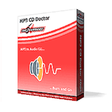
Effortless MP3 to Audio CD Conversion

Efficient Movie Compression and Burning Tool